Featured AI dance trend
iPhone Kupi Dance AI generator
Step into the viral phone-dance format: a nighttime hotel room, a foldable-phone reveal, then the bouncy side-step routine from your own photo.
From $9.90 a video, no subscription · 1 photo → 1 video · 10s · 720p · No watermark · No prompt · With music · 9:16 for TikTok, Reels and Shorts
Upload a photo ↓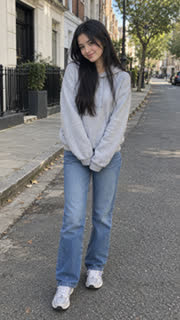 Photo
Video
Updated · AI-generated video
- Folded-phone reveal
- Unfold to a tablet-size screen
- Step back into the hotel-room wide shot
- Dance while swinging the open device
Make the iPhone Kupi Dance AI video from one photo
Upload one clear photo of yourself, pick iPhone Kupi Dance, and get a 10-second vertical video inspired by the viral Win William phone-dance format: you appear in a new nighttime hotel-room scene holding a generic foldable phone, reveal it to camera, then break into the playful shoulder-bounce, side-step and hip-sway routine. The video is newly generated from your photo; it does not reuse the original clip, the creator's likeness, Apple branding or the trend's commercial song.
- You need
- A clear photo of yourself with your face visible and upper body or full body in frame. JPG, PNG or WebP. Nothing else: no prompt to write, no editing.
- Who can be in it
- You or another adult who agreed, one per photo. No pets in this one.
- You get
- A 10-second vertical 720p MP4 with original music and no watermark, usually in 2 to 5 minutes.
- Price
- $9.90 for one video, paid once. No account, app or subscription.
- Refund
- Failed videos give the credit back; a clearly broken one gets its cost back.
- Limits
- One adult per photo. The hotel room, lighting and generic foldable devices are generated, so fine device geometry can vary. No logos, product names or branded phone UI are added.
What is the iPhone Kupi Dance AI trend?
The iPhone Kupi Dance trend took off in late October 2026 around a short hotel-room phone dance associated with Win William. The AI remake format uses one photo to put a new subject into a similar phone-reveal dance scene. This template recreates the format as a newly generated scene with a generic foldable phone; it does not copy the original video, use Win William's likeness or include the commercial song.
Best photo for this trend
Use one sharp, well-lit photo of one adult. Face the camera and keep your hands and torso visible if possible. Avoid group photos, heavy sunglasses and cropped faces.
How to make the iPhone Kupi Dance video
- Take or pick a clear photo of yourself with your face visible and upper body or full body in frame.
- Upload it above and choose iPhone Kupi Dance.
- Pay once (from $9.90). No account needed.
- Wait a few minutes, download the MP4, add the trending sound and post.
How to make an AI dance video from a photo: full guide and photo tips
iPhone Kupi Dance AI FAQ
How do I make the iPhone Kupi Dance AI video?
Upload a clear photo of yourself with your face visible and upper body or full body in frame, choose iPhone Kupi Dance, pay once and download your vertical video in a few minutes. Then post it with the trending sound.
What is the iPhone Kupi Dance trend?
It's the late-October 2026 phone-dance format associated with Win William: a quick phone reveal in a hotel-room setting followed by a playful bouncy dance. AI versions put a new person into a freshly generated version of that setup from one photo.
Do you use Win William's original video?
No. The result is a newly generated hotel-room dance scene from your photo. It does not contain the original clip or Win William's likeness.
Does the phone show an iPhone or Apple logo?
No. The template uses a generic foldable smartphone with no logo, branded interface or product name.
Does the video include the trend's original song?
No. Your file gets an original electronic-pop instrumental. Add the current trend sound inside TikTok or Reels when you post, subject to the platform's music availability and rules.
What photo works best?
One sharp photo of one adult with a clearly visible face and at least the upper body in frame. A full-body photo gives the model more information for the side steps and hip movement.
Can I upload a celebrity or a child?
No. Use a photo of yourself or another consenting adult. Public figures and minors are not allowed.
iPhone Kupi Dance AI guides
Guides for making an AI dance video
- Can ChatGPT make an AI dance video from my photo?
- Which AI dance effect should I choose for my photo?
- How do I make an AI dance video from one photo?
- Can I make an AI dance video on my phone without an app?
- How do I make an AI dance video for Instagram Reels?
- How do I make an AI dance video for TikTok from a photo?
- How can I make my cat dance with AI from one photo?
More AI dance trends
- Rumpelstiltskin Tiptoe Dance · Become the creepy little imp from the viral clip: velvet tailcoat, straw-filled barn and that sneaky high-knee tiptoe.
- AI Pet Dance · Your dog or cat stands up in your living room, in a tiny sparkly outfit, and does the sassy diva dance everyone's pet is doing on TikTok.
- Raindance AI Trend · Your everyday photo, then a hard cut to you on a golden-hour pier, singing softly into the camera. The music-video moment everyone is posting.
- AI K-pop Idol Stage · Debut as a K-pop idol: a music-show stage, a sharp point dance, a wink, and the ending-fairy close-up.
- Suave Cat Dance AI · Your cat leads the viral three-kitten dance in your own room: a black studded belt, two backup kittens, paws-out sways and the turn-around hip shake.
- Dime Dime Baby AI · The quinceañera strut: you cross the dance floor toward the camera, bite a pink concha, chew with a dead stare into the lens, then dance back into the party.