3 ways to make your own Rumpelstiltskin AI video
Updated · AI Dance Trend
You can (1) put a caption on the original clip, (2) prompt an AI video model yourself, or (3) use a one-photo template site. A caption edit is free but you're not in it. Prompting a model gives you full control but takes a multi-shot prompt and several tries. A template site puts you in the clip from one photo in a few minutes, for a fixed price.
Make the Tiptoe Dance video from your photo
Tiptoe Dance: a real result
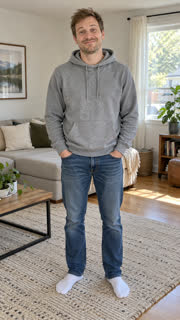 The photo
1. Caption the original clip
Download a version of the viral clip, add a one-line caption in CapCut or TikTok and post it with the song. It costs nothing and takes a minute, which is why most of the meme's posts look like this. You aren't in the video, though, and the clip isn't yours.
2. Prompt an AI video model yourself
Image-to-video models (Kling, Seedance and others) can put you in a new version of the scene. The hard part is the edit: the meme works because of its beats, so you need to describe several shots in one prompt and usually rerun a few times. If you go this way, this is the shot list our template uses:
- Medium shot: you peek out from behind a pile of straw, raise a finger to your lips and grin; a young woman sits in the straw in the foreground with her back to the camera.
- Close-up: her shocked face, hand over her mouth.
- Wide shot: you tiptoe toward her on the tips of your toes, high knees, arms out.
- Low close-up: your feet tiptoeing through the straw.
- Close-up: your huge, slightly creepy grin.
3. Use a one-photo template
Several single-purpose Rumpelstiltskin generator sites launched in October 2026, and AI Dance Trend has a Tiptoe Dance template too. You upload one photo, the template handles the shots, and you download a finished clip. Things to compare before you pay: how many photos it needs, the length and aspect ratio (vertical for TikTok), whether there's a watermark, whether the price is per video or a subscription, and whether it's a face swap onto the original clip or a new scene.
Ours: one photo, 10 seconds, vertical 720p, no watermark, $9.90 per video, paid once, and a new scene rather than a face swap. Pets work too.
Which one to pick
- Just want to post the joke today: caption the original.
- Want full control and don't mind tinkering: prompt a model with the shot list above.
- Want yourself or your pet in it in a few minutes: use a template.